Startup branding moves as fast as the models behind it. Since we first published this post in May 2025, Anthropic has launched Claude Design and Claude Opus 5.5, OpenAI has released GPT-6 and GPT-6 Astra, Google has released Gemini 4 Argon, and Freepik has relaunched as Magnific. Meanwhile, Google's AI Overviews reach more than 2.5 billion people a month1.
If you're racing to launch, the question is no longer whether to use AI. It's where AI saves you weeks and where it quietly weakens your brand.
So we asked our team what they actually use today. This October 2026 update is built on their answers: our most-used tools, tactics and trends, what changed in search, and where we still keep AI out of the room.
Which AI tools deliver the best results in startup branding?
Short answer: our team works mostly in Claude (Claude Design, Claude Code and the new Opus 5.5 model), Magnific (formerly Freepik) and Figma's built-in AI, and uses Google's Nano Banana models for mockups and images. For long research and document work, GPT-6 Astra and Gemini 4 Argon are the newest options. Midjourney is now mainly a source of inspiration. None of them replaces a brand strategy. They make a defined brand faster to produce.
Visual identity: AI explores, designers decide
Magnific (formerly Freepik)
Freepik has been an everyday tool in our studio for years: images of people for our clients' target audiences, quick mockups that show a brand in a real and believable context. In April 2026 it relaunched as Magnific, and the name now covers the whole platform: stock assets, image and video generation, upscaling and a real-time collaborative workspace2. That workspace, Spaces, is a node-based canvas where you chain AI models into a workflow and work on it live with your team or client3.
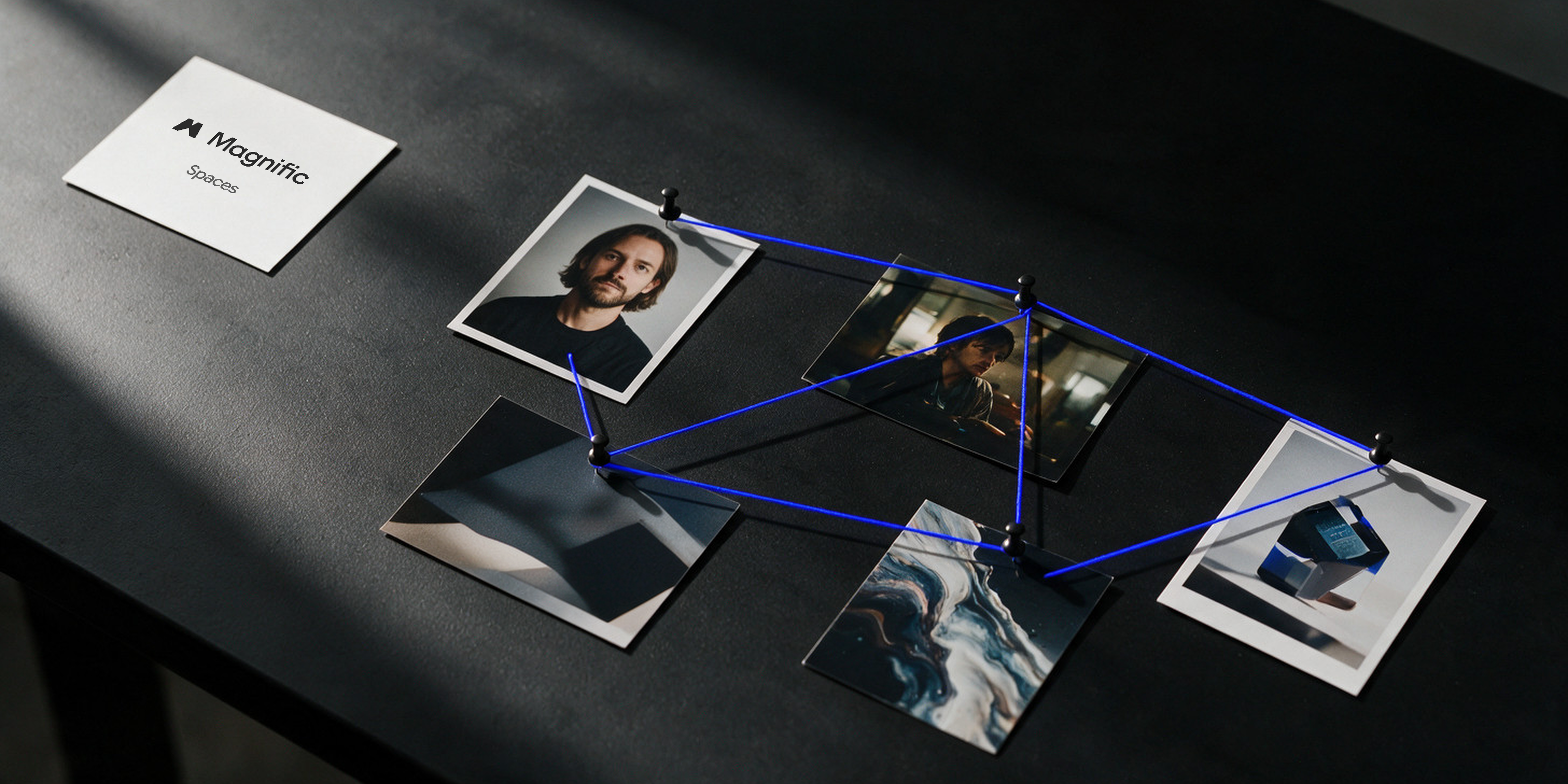
One subscription now gives access to models from several providers, such as Nano Banana, Kling or Seedance. Rafa Trujillo, motion designer at The Branx, has stopped paying for generators that are already included in Magnific. Damián, designer and co-founder of The Branx, uses it every day to edit images.
Nano Banana
Nano Banana is the nickname of Google's image models inside Gemini, now at version 2.1. Where other generators are best at inventing a look, Nano Banana is best at editing what already exists: change a background, place a logo on a mockup or keep the same person across a series. Google says more than 50 billion images have been generated with these models1. Toni Massanet, our web designer and developer, uses Nano Banana Pro to create images. Lola Sáez, brand designer at The Branx, uses it mostly for mockups:
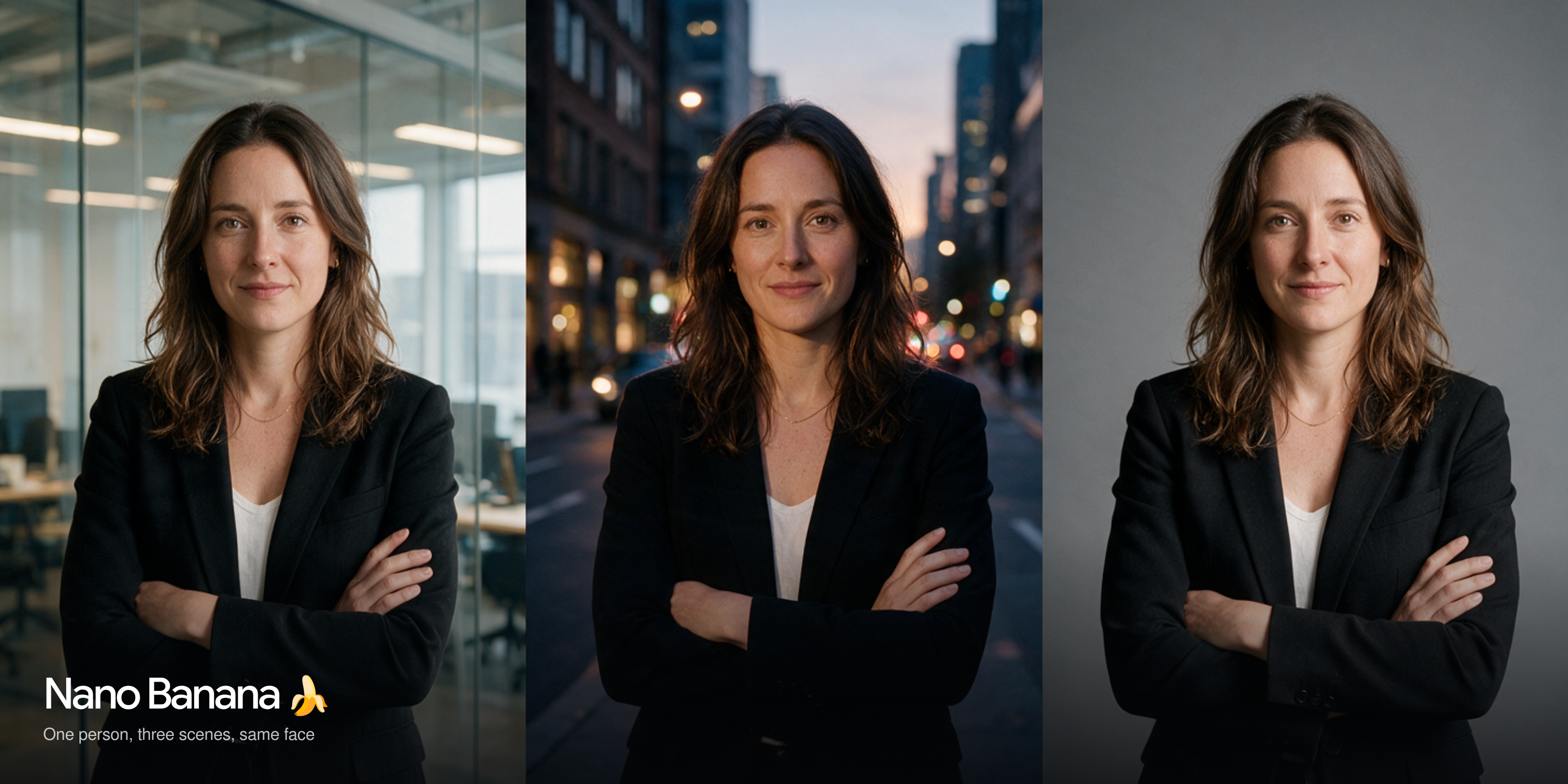
I don't use Midjourney, but I do use Nano Banana and Freepik Spaces. They help me speed up image editing and production, especially mockups.
Midjourney
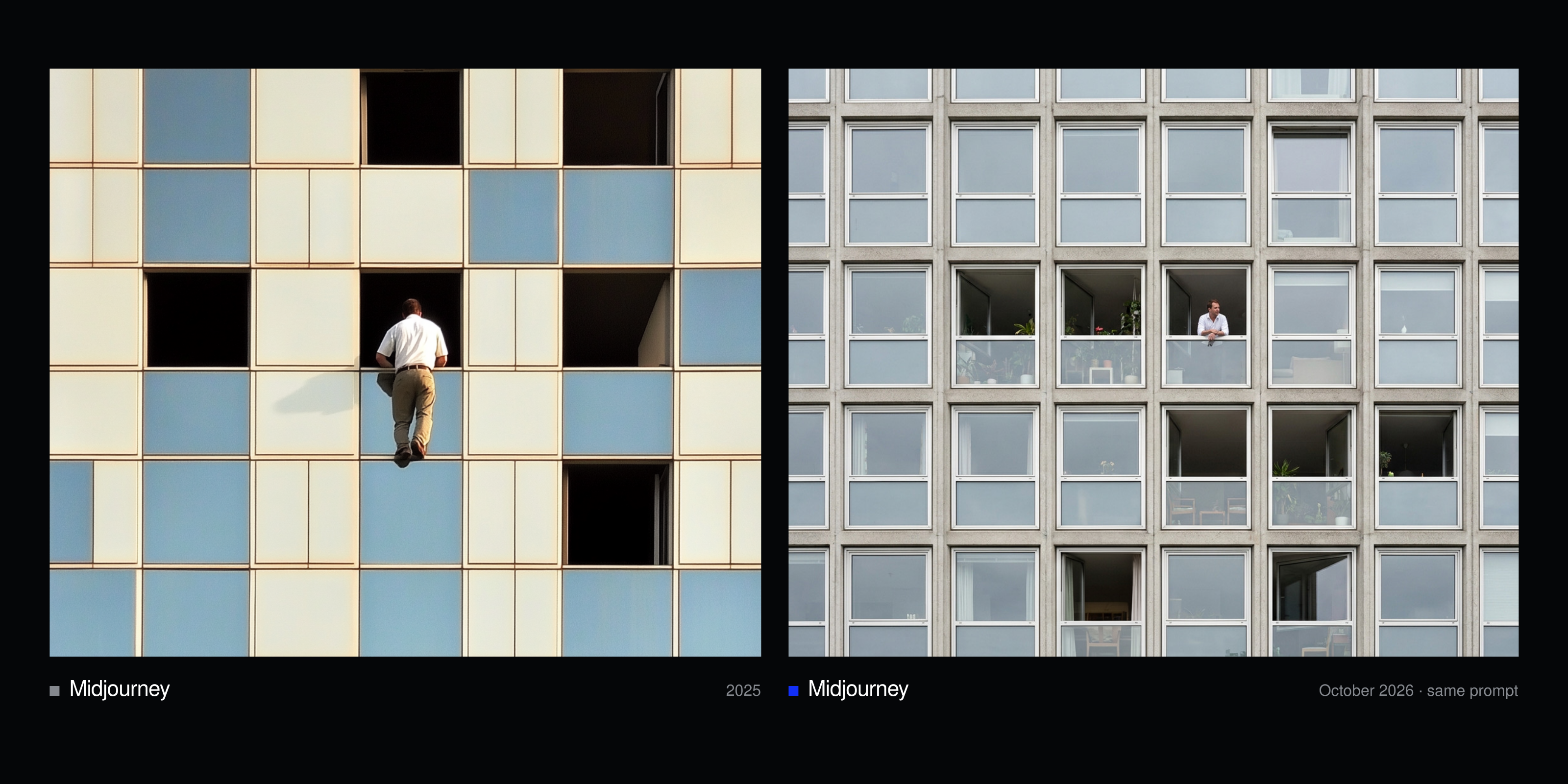
Midjourney used to be our main image generator. Today the team uses it mostly for references and fresh visuals for moodboards. Dani, designer and co-founder, treats it like a Pinterest board. Its lesson still holds, though: the prompt is where results are won or lost. The image below shows the same prompt in 2025 and in October 2026: the model has caught up, but the brief still decides the result. The prompt: Skyscraper building facade with a grid-like pattern of square windows, some of which are open, revealing glimpses of the interior. In one of the open windows, a white man, around 35 years old, with short brown hair, is seen wearing a white shirt. In another window, the lower half of a person wearing khaki pants and a brown belt is visible…
Claude: from writing assistant to production tool
No tool has changed more in our studio since the first version of this post. Toni works mostly in Claude Design, Anthropic's tool for prototypes, slides and other visuals, which builds a design system from your design files4, and in Claude Code. Dani uses Claude Code to lay out presentations and animate web concepts, and shares links to the Figma canvases he wants Claude to read and build on. Lola uses it to produce animations and slides. Toni, who jokingly calls himself our "AI whisperer", sums up what that does to a web developer's day:
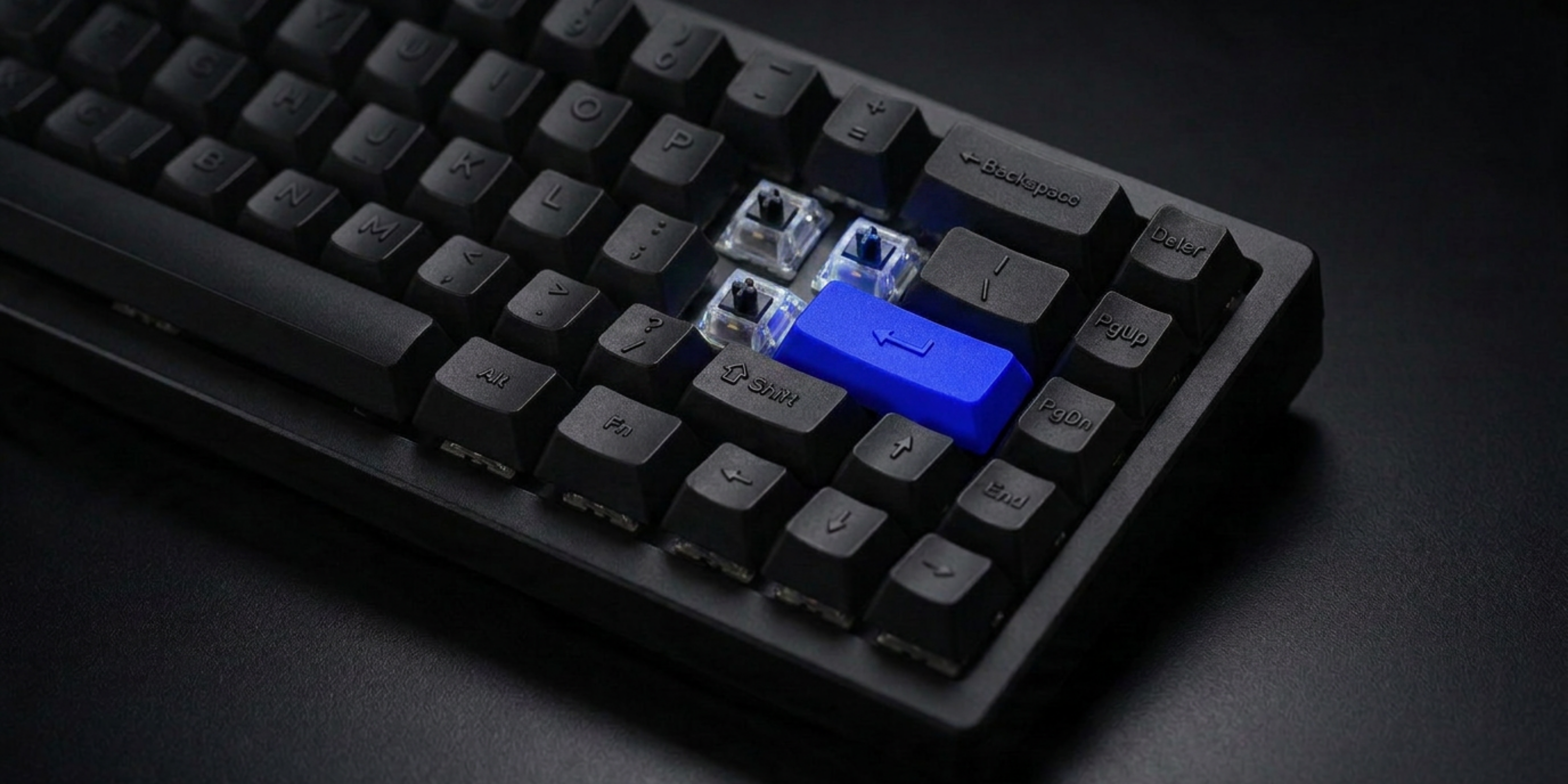
My keyboard misses the curly braces { }. Now I just hit Enter.
Rafa connects Claude to the rest of the stack:
Thanks to Claude's connectors, I can use Magnific through it. Claude can link the Figma files where we have the brand book, and folders on our computer with brand materials, images and fonts. It can access all those files, analyze them and create material that's visually aligned with the brand's tone of voice.
Miqui Troncoso, brand designer at The Branx, puts it more simply:
One of the things I like most about Claude is how quickly you can get impressive results to start working with.
How to prompt on-brand visuals
- Start with the subject: a founder portrait, an abstract background, a futuristic cityscape or a startup office scene? Example: "A female founder standing confidently in a modern, glass-walled startup office"
- Define the style, mood and atmosphere that match your brand personality, e.g. calm, dynamic, inspiring, warm lighting.
- Name your color palette: reference your brand colors.
- Direct how the image is framed, e.g. bird's-eye view, portrait orientation or close-up.
- Say what to leave out: "no clutter" for a clean background, "no people" if you only want a setting, "no painting or drawing" to avoid an illustrated look. That keeps B2B imagery professional.
- Add a reference: a style reference, a moodboard or images from your brand book say more than a paragraph of adjectives. Reuse the same set on every project.
Prompted well, you get on-brand imagery with a creative twist that would have taken much longer to create by hand. See how we used AI imagery in this brand video for the tech startup Diamo.
How much time does AI actually save?
Real time, but less than the hype suggests. Lola recently adapted a new visual identity to a set of multi-page PDF documents:
I'd say I cut the working time in half, or even more, compared to laying out every document one by one. But reviews and corrections are still essential, so the real saving may be smaller than it looks.
On Featherless and Furanova, Miqui says AI saved the team many hours building functional web prototypes and motion design. On Furanova, Toni used it to build the design the team had created and to apply feedback quickly. He estimates the team can be two to three times faster, although it still takes good input, creative initiative from the designer and many rounds of changes. For Eluviant, the team built a tool that generates visuals from the brand's pattern, and Dani used Claude to validate concepts during research.
In motion, Rafa builds brand mood videos from static images and graphics that AI then animates, with clear criteria and instructions. While the clips generate, he works on manual animations such as logo reveals, and saves a couple of hours per project. For more tools, see our post on the best AI tools for video creation.
In motion, AI can help you explore ideas and generate assets, but the rhythm, the narrative and the intent behind every movement are still creative decisions. (Rafa Trujillo, motion designer)
Verbal identity: AI drafts, your team decides
Claude, ChatGPT and Gemini
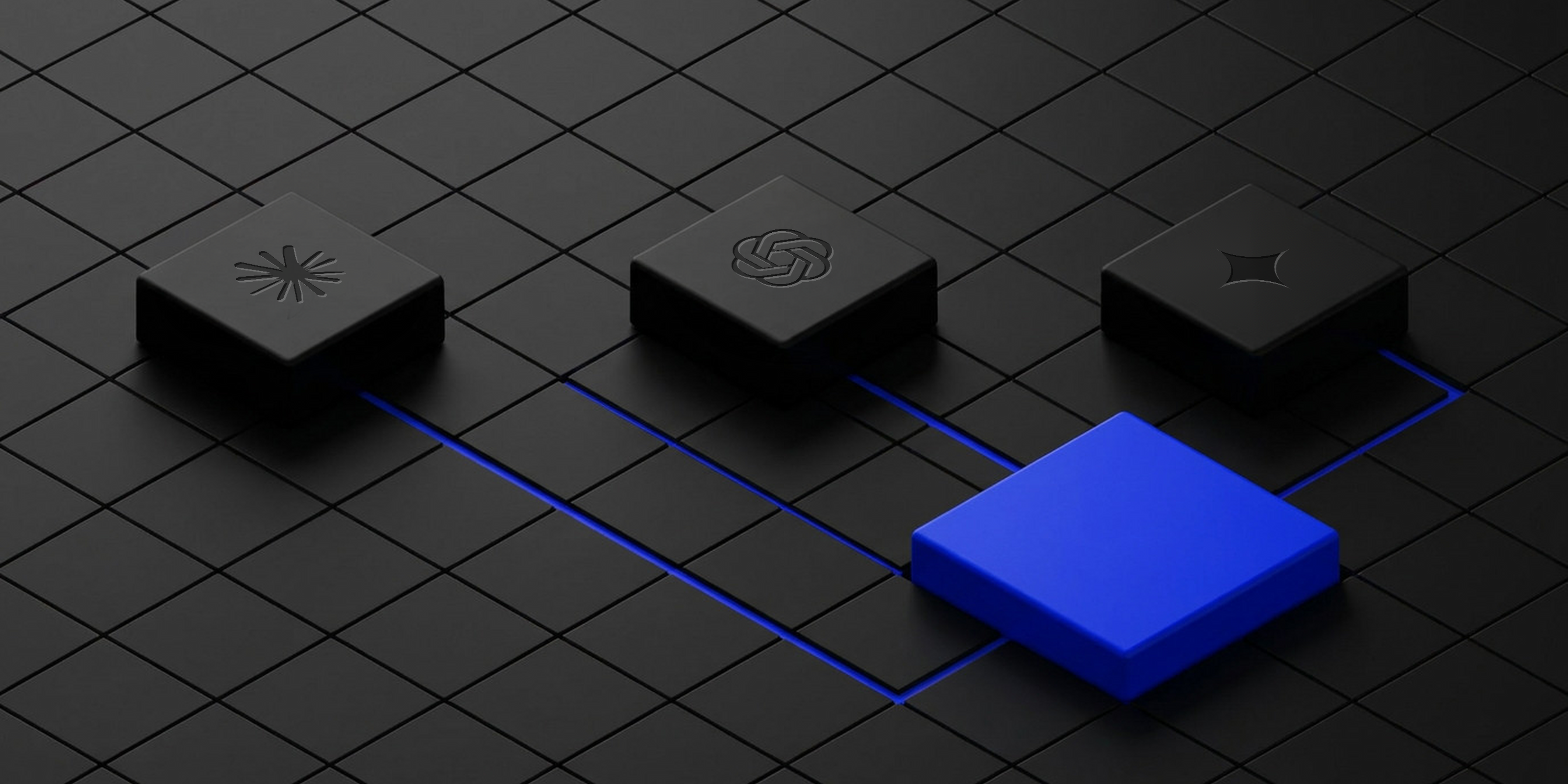
When ChatGPT first appeared, many creatives feared for their jobs. Today, AI assistants help us summarize research for brand audits, draft first versions of copy and test variations of tone. The models change fast: in the last two months alone, OpenAI released GPT-6 Astra and GPT-65, Anthropic released Claude Opus 5.56 and Google released Gemini 4 Argon7. Our team's habits shift with them. Miqui and Dani have moved from ChatGPT to Claude and Gemini, while Lola still uses ChatGPT for research and long texts. So pick the assistant by task, and keep your brand instructions in a document you can take from one tool to the next.
What are the limits of AI copywriting?
If you want AI to sound like your company, you have to train it. Damián sets this up in Claude at the start of each project, with example phrases, brand values and the verbal identity. Toni gives it the brand book or our brand discovery board. Lola keeps the pen herself:
I use ChatGPT, but I define the tone of voice and the copy myself. I ask it to suggest variations, spot mistakes or help me strengthen the work, not to generate it from scratch.
To prompt copy that sounds like you:
- Create a project in your AI workspace (Claude Projects, ChatGPT Projects or Gemini Gems).
- Upload examples of your brand tone, copy and visuals.
- Define your tone of voice in detailed instructions, with dos and don'ts.
- List the questions you want to answer, not only your target SEO keywords.
- Give the context: where the content will be published, the goal, the audience and the format.
- Iterate and review: never publish without revision and a human touch.
Why do AI hallucinations still matter?
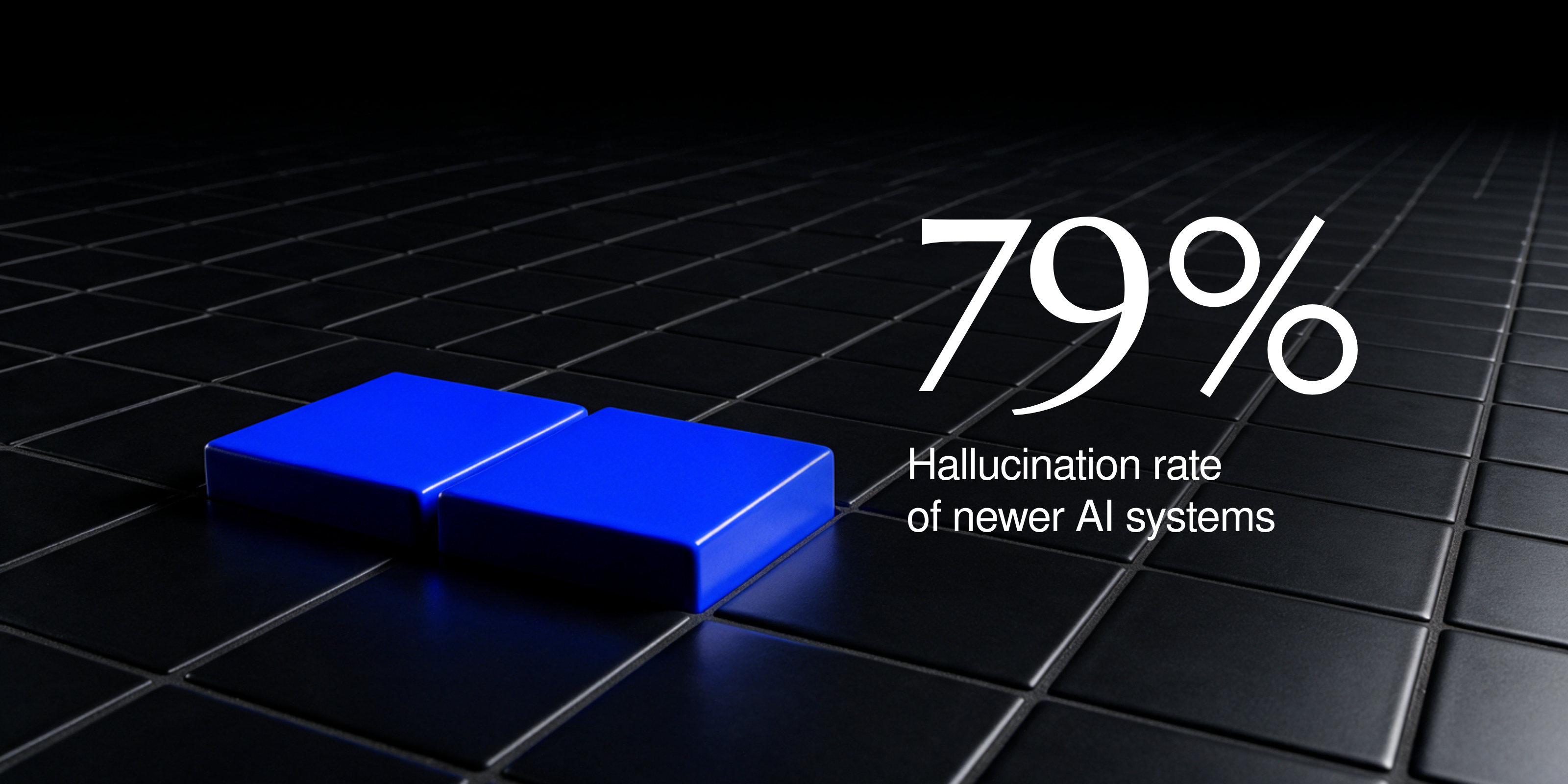
AI hallucinations are answers an AI makes up and presents as facts. In spring 2025, OpenAI's own tests showed its o4-mini reasoning model hallucinating on 79 percent of the questions in the SimpleQA benchmark8.
The newest models are better at saying "I don't know". OpenAI has explained that standard training rewards guessing over admitting uncertainty9, and in tests by Box, GPT-6 Astra was more than 10% less likely to make confidently incorrect assertions5. But the problem hasn't gone away: in January 2026, NewsGuard found that the 11 leading chatbots still repeated false claims about the news more than 28 percent of the time10.
Our team sees it every week, in different forms:
- Web copy: Miqui sees AI fill pages with irrelevant made-up content that reads as artificial.
- Legal texts: Toni has seen AI invent a website's legal pages, written so well that you only notice when you realize the client never sent theirs.
- Video: Rafa constantly finds visual artifacts, or text that changes from frame to frame.
- Design: Damián says AI almost always adds something you didn't expect. You catch it by checking the design against the design system.
- Client red lines: Dani finds AI easy to catch out. It often proposes something the client has already ruled out.
In research, Lola has learned to be careful:
It happens often in cultural research: AI can make up information, mix up data or lean towards confirming your own hypotheses. That's why I ask questions without leading the answer, challenge the results and check them against other sources.
Google's guidance on AI content says it plainly: "It is critical to manually factcheck and review all AI-generated content for accuracy."11 Hallucinations also happen about your brand: ask an AI assistant about a startup and it may describe a product the company doesn't sell or a customer it never had.
AIO: is your brand visible in AI search?
SEO now shares the stage with AIO (AI optimization), also called AEO (answer engine optimization) or GEO (generative engine optimization). At Google I/O in May 2026, Google reported more than 2.5 billion monthly users for AI Overviews1 and said AI Mode passed 1 billion monthly users in its first year. You can now ask a follow-up straight from an AI Overview and continue the conversation in AI Mode12, and since October, paying subscribers get Gemini 4 Argon there7.
Does Google punish AI-written content? Its guidance says generative AI can be useful for researching a topic and adding structure to original content, but churning out many pages without added value can break its spam policy on scaled content abuse11. Write and structure your content well and you're more likely to show up in AI search. Publish generic AI text and you look like everyone else, to people and to models.
Which platforms focus on AIO for startups?
AI visibility tools track how often ChatGPT, Gemini, Perplexity and Google's AI answers mention and cite your brand, for which prompts and next to which competitors. Profound and Brandlight are built for larger brands, while Peec AI and Otterly.AI are lighter options. On our own website we use Promptwatch, which also shows which pages AI crawlers read.
An early-stage startup can start without a tool. Write down the 20 questions a buyer would ask an AI about your category, run them once a month in ChatGPT, Gemini, Perplexity and AI Mode, and note who gets named and what is said about you.
Our AI recommendations for startups in 2026
Claude Opus 5.5 with Claude Design: for brand production
If you build one AI habit this year, make it this one. Claude Design reads your design files, builds a design system from them and turns a conversation into prototypes, slides and one-pagers that use your colors, typography and components4. Pair it with Opus 5.5, Anthropic's newest top model, released on September 22, 2026. Anthropic says it leads in agentic coding and knowledge work, and writes more naturally than earlier models, with the most important information up front6. That's the setup most of our team now works in.
GPT-6 Astra: for long, document-heavy work
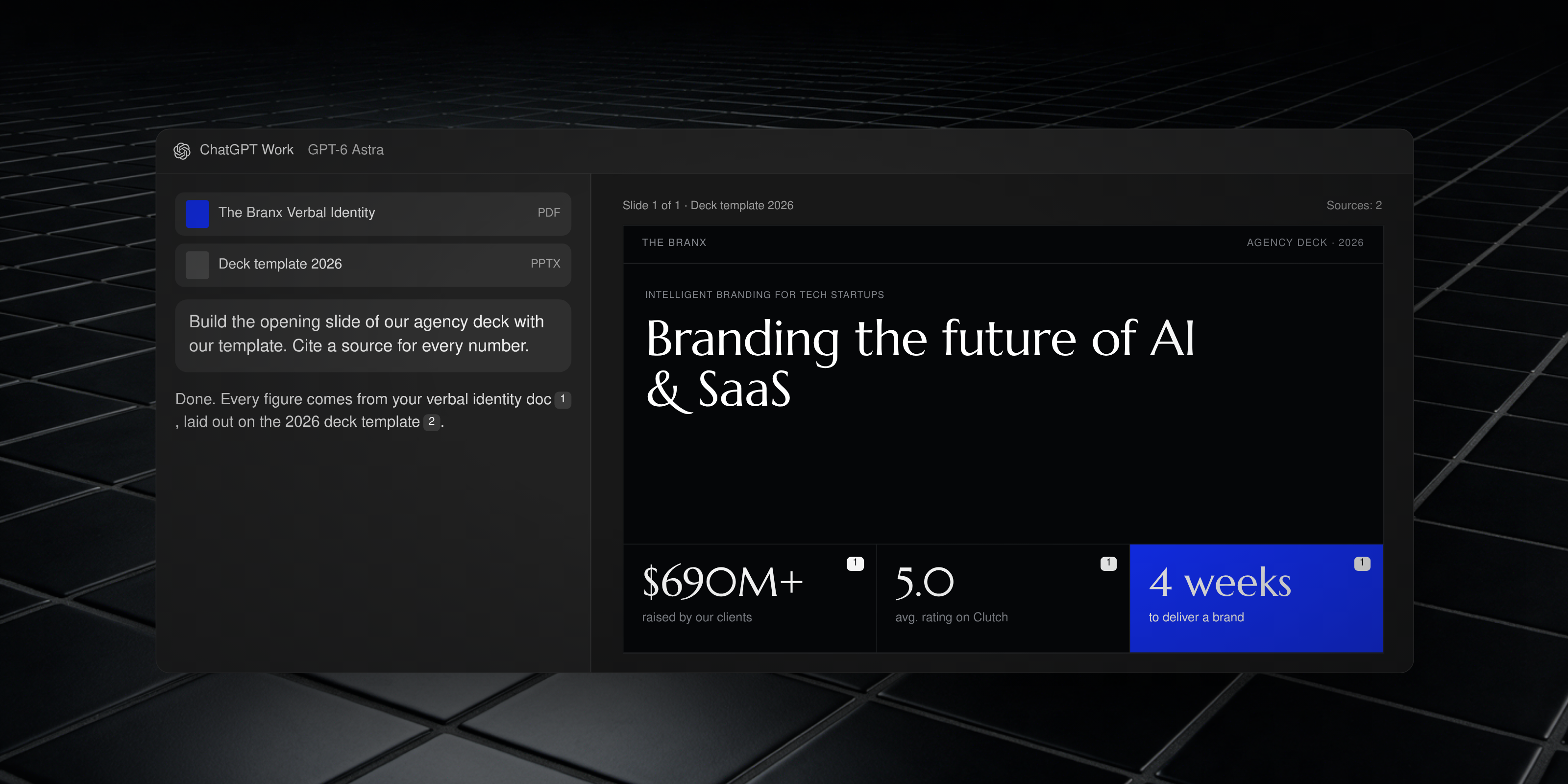
GPT-6 Astra is OpenAI's flagship for professional work, available in ChatGPT Work, Codex and the API. OpenAI says it follows a company's templates and design standards when it builds slides, and in partner tests it traced its claims to the right document more often than other models5. Use it for investor decks, market research and anything that has to stay true to a long set of documents. For everyday chat, ChatGPT now runs on GPT-6.
Gemini 4 Argon: for Google Workspace teams
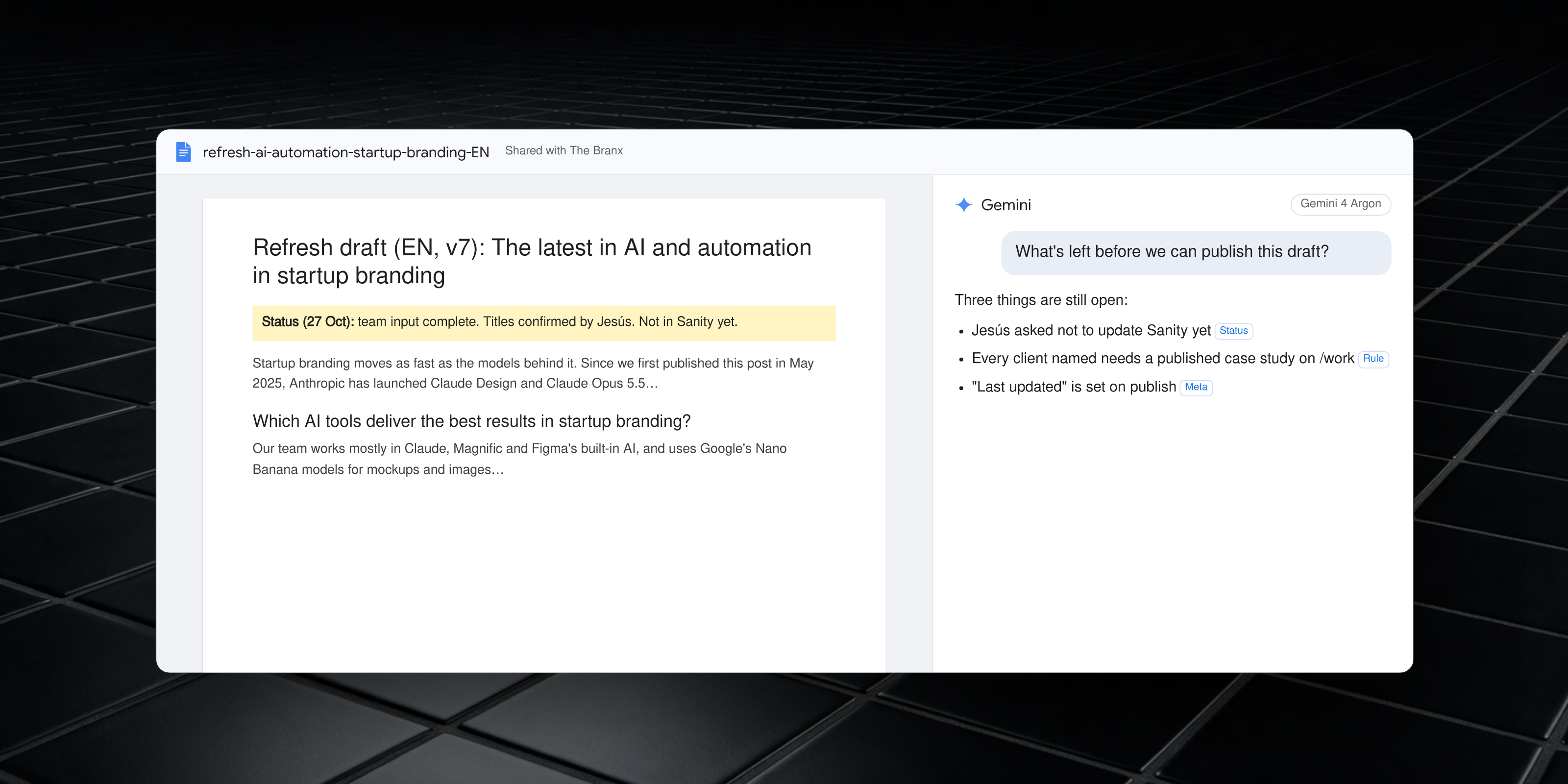
Gemini 4 Argon is Google's newest frontier model, released on October 13, 2026 for Google AI Pro and Ultra subscribers in the Gemini app and AI Mode7. Google says it follows style instructions better and hedges less than earlier Gemini models. If your team lives in Google Docs, Drive and Gmail, it's the assistant closest to your documents.
Magnific: one subscription for images, video and upscaling
Before you pay for five separate generators, try Magnific. It bundles image and video models from several providers, such as Nano Banana, Kling and Seedance, with an upscaler, a stock library of more than 250 million assets and Spaces, a shared canvas where you build AI workflows with your team or client2. It's built in Málaga and already counts more than 1 million paid subscribers. For a startup without an in-house designer, it covers most day-to-day visual production. The brand decisions behind those visuals still need a designer.
Wrapping up: AI and automation in startup branding
Dos
- Use AI for scalable, on-brand visuals and mockups
- Automate research and first drafts, then check the sources
- Track how AI assistants describe your brand
- Use it as a smart co-worker
Don'ts, according to our team
- Damián defines the strategy before anyone touches an AI tool, from the client's brief and our moodboard. AI never gets into the logo, naming, colors, typography, layouts, character or concept.
- Lola never hands the creation of a logo over to AI, nor lets it produce anything from scratch.
- Miqui keeps the final decision on logo refinement and strategy. He needs 100% control.
- Dani keeps AI out of the logo and the naming, without exception.
- Rafa doesn't use AI for logo reveals whose animation carries the core idea of the brand.
The exception is web development. Toni lets AI into every step, as long as it's guided to respect the brand's design system, the user experience and the site's speed.
Think of your mother saying the phrase she always repeats to you. Got it? Did you hear it in her voice? That's something AI can't do. AI can't open your brain and pull out the idea, or the experience you bring to creating the next brand. (Damián, designer and co-founder of The Branx)
AI tools are only as good as the strategy and the team behind them.
I believe in design as cultural production, and in the designer's responsibility for both what they produce and the processes behind it. Even more so in the age of AI. (Lola Sáez, brand designer)
With or without AI, I never feel like everything is done. There's always more to do. (Dani, designer and co-founder of The Branx)
We wrote more about where people still matter in Human-centered branding vs AI. Building an AI company? See how we approach branding for AI startups and read how to brand an AI startup. Or talk to our startup branding agency about using AI for speed and people for judgment.
Sources
- Google, "Sundar Pichai's opening keynote at I/O 2026" (May 19, 2026)
- Tech.eu, "Freepik rebrands as Magnific, unifying its AI creative stack" (April 28, 2026)
- Freepik, "Freepik launches Freepik Spaces" (November 4, 2025)
- Anthropic, "Introducing Claude Design by Anthropic Labs" (April 17, 2026)
- OpenAI, "GPT-6 Astra: The next generation in intelligence for work" (September 2026)
- Anthropic, "Introducing Claude Opus 5.5" (September 22, 2026)
- Google, "Gemini 4 Argon: Built to solve your hardest problems" (October 13, 2026)
- The New York Times, "A.I. is getting more powerful, but its hallucinations are getting worse" (May 5, 2025)
- OpenAI, "Why language models hallucinate" (September 5, 2025)
- NewsGuard, "AI False Claim Monitor, January 2026"
- Google Search Central, "Google Search's guidance on using generative AI content on your website"
- Google, "A new era for AI Search" (May 19, 2026)