Webflow and Sanity are two of the most popular ways to run a modern company website. They are often compared as if they were the same kind of product. They aren't: Webflow is a complete website platform you design visually, and Sanity is a content platform your developers connect to a website they build.
We know both from the inside. Our own site, thebranx.com, ran on Webflow for years, and in 2026 we rebuilt it on Sanity and Next.js. So this comparison isn't a feature list copied from two pricing pages: it's what each one is like to live with, what it costs, and who it suits. We checked every price, limit and feature below against the official pages in November 2026.
The short answer
- Webflow: design, CMS, hosting and security in one visual tool. Best for teams without developers who want the website handled for them.
- Sanity: a headless content platform you connect to your own front end. Best for teams with developers and content that is getting complex.
- Price: Webflow's Premium site plan starts at $25 a month, billed yearly.[2] Sanity is free for up to 20 seats, and its Growth plan costs $15 per seat a month,[12] plus the hosting and development of your website.
What each one actually is
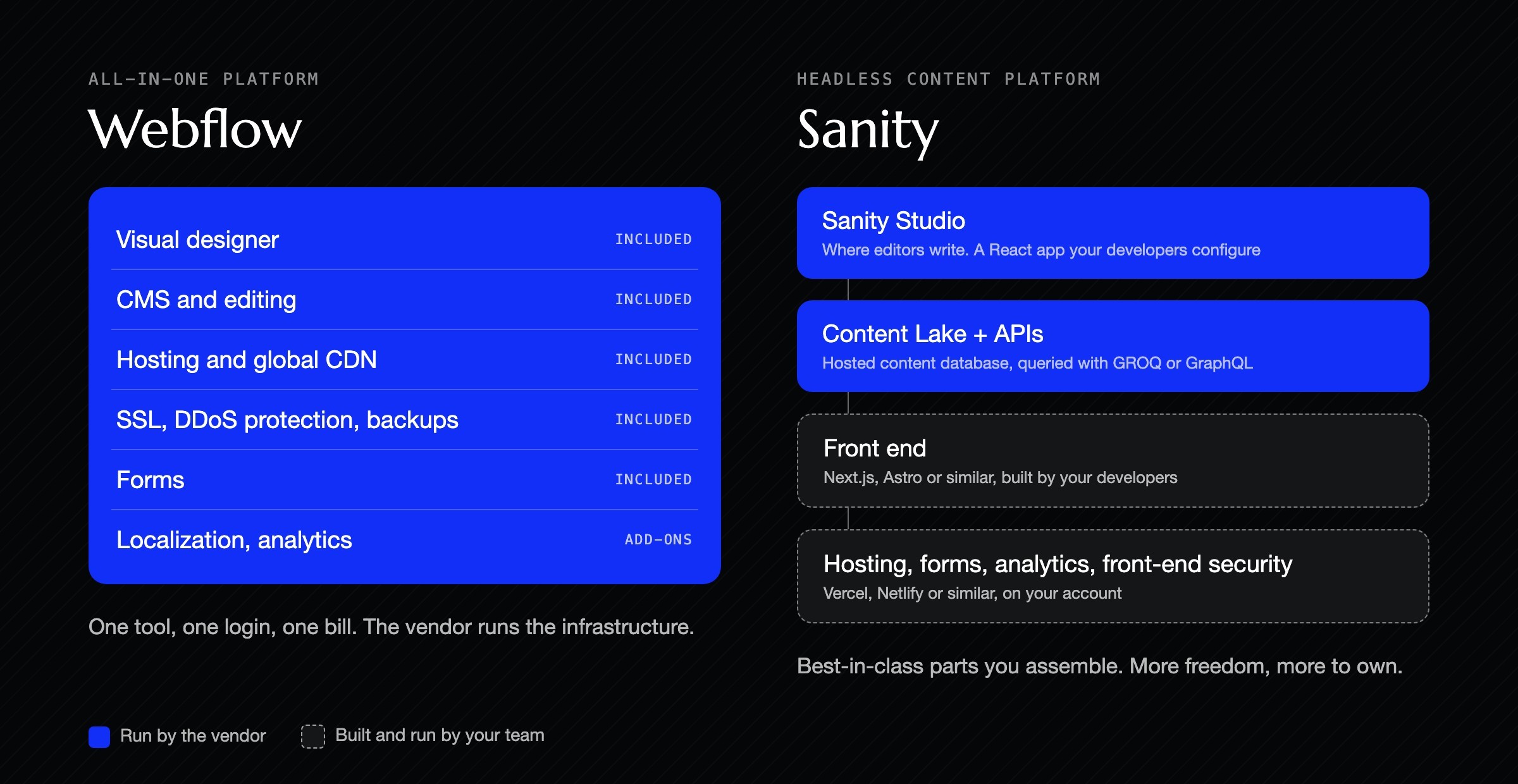
Webflow: a website platform you design visually
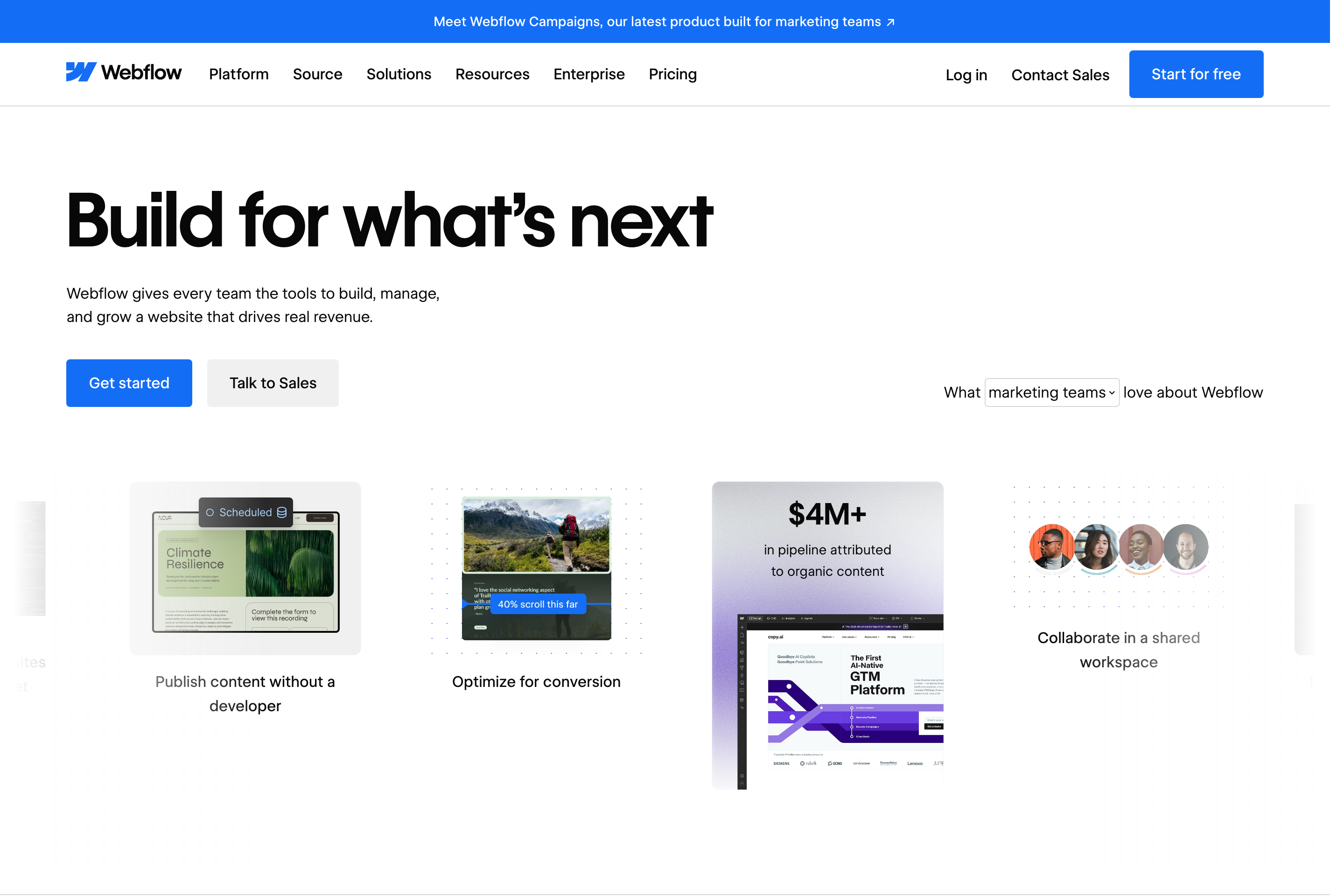
Webflow combines a visual designer, a CMS and hosting in one product. You build pages on a canvas that works like the web itself (boxes, classes and breakpoints), store repeatable content such as blog posts and case studies in CMS collections, and publish to Webflow's own hosting with one click. Founded in 2013, it says more than 300,000 organizations use it,[10] and W3Techs counts it on 0.8% of all websites.[11]
In 2026 Webflow has been moving fast on AI: an AI site builder, an MCP server so assistants like Claude can work on a site, and, announced at Webflow Conf in September, content agents for AI search and an agentic, code-based platform called Source, still in preview.[9]
Sanity: a content platform your developers build on
Sanity stores your content as structured data in a hosted database, the Content Lake, and gives your team an editing app, Sanity Studio, that developers configure in code. The website itself is a separate project: developers build it with a framework such as Next.js or Astro, fetch the content through Sanity's APIs, and host it wherever they like. That model is called headless, and it's why the same content can feed a website, an app, a newsletter or an AI agent.
Its customers include Figma, Shopify, Linear and PUMA.[17] W3Techs counts Sanity on less than 0.1% of websites, but tools like it can barely detect headless CMSs, so that figure undercounts it by design.
Webflow: strengths and weaknesses
Strengths
- Visual editing. You edit the page you see, not a form that becomes a page later. Since Webflow retired its legacy Editor in August 2026, content editors work in Edit mode inside the same environment designers use.[5]
- Hosting and security are included. Every paid site plan runs on AWS and Cloudflare's global CDN, with free SSL, DDoS and bot protection, and automatic backups you can restore in one click.[3] Webflow holds SOC 2 Type II and ISO 27001, 27017, 27018 and 42001 certifications.[4] Nobody on your team has to patch a server.
- One tool, one bill. Design, content, hosting, forms, languages and analytics live in the same place. There is one login, one invoice and one company to call when something breaks.
- No developers needed. A designer can take a site from blank canvas to live, and marketing can run it afterwards.
- Manage your site from your AI tools. Webflow’s MCP server, included on every plan, connects AI assistants such as Claude and ChatGPT to your site. Ask them in plain language and they can update content, manage your CMS collections or, once your design system is in place, build new sections and pages that follow it.[1][18]
- SEO basics built in. Meta tags, sitemaps, robots.txt, redirects and, with the Localize add-on, localized URLs and hreflang tags work without custom code.[1]
Weaknesses
- Costs come in add-ons. The Premium plan costs $25 a month billed yearly or $39 billed monthly, for one site.[2] Languages (Localize, from $9 a month), analytics (Analyze, from $9 a month), A/B testing (Optimize, from $299 a month) and AI credits are extra.[1] When Webflow restructured its plans in May 2026, it said plainly that some customers would see a price increase.[2]
- CMS limits. Premium includes 20,000 CMS items and 40 collections.[2] The next step for more collections is the Team plan, at $2,500 a month on an annual contract.[1] The CMS API is limited to 120 requests per minute on most self-serve plans.[6]
- Lock-in. You can export a site's HTML and CSS, but Webflow states that CMS items and pages can't be exported with it.[1] Your content leaves as CSV files or through the API, and the site has to be rebuilt elsewhere.
- Fewer guarantees on smaller plans. Hosting uptime commitments start on the Team plan (99.00%) and Enterprise (99.99%).[1] EU hosting, with site data stored at rest in the EU, launched in November 2026 and is only available on specific Enterprise plans.[3] For European companies with strict data rules, that matters.
- You live with the vendor's decisions. Webflow sunset its User Accounts (memberships) feature in January 2026, APIs included,[8] and a multi-day incident in July 2025 disrupted the Designer and the Dashboard.[7] When the platform changes or stumbles, you wait.
- A real learning curve. The Designer is easier than code, but it's built on how CSS works. Expect weeks, not hours, before a non-designer feels at home.
Sanity: strengths and weaknesses
Strengths
- Structured content. Sanity stores content as data, not as pages. A product, a person or a case study is written once and reused anywhere: on the website, in an app, in emails or as context for AI agents.
- An editor shaped around your team. Sanity Studio is an open-source React app, so developers can add exactly the fields, checks and buttons your editors need. In our own Studio, for example, a Spanish or German case study has a button that copies its images, colors and settings from the English version, so editors never retype them.
- Generous plans, per seat. The Free plan includes up to 20 seats and 10,000 documents; Growth costs $15 per seat a month for up to 50 seats and 25,000 documents. Every plan includes unlimited content types and languages, real-time collaboration and visual editing tools.[12]
- Languages without a per-language fee. Sanity doesn't charge by locale.[12] You can translate whole documents or individual fields, and your developers decide how.
- Built for AI. Content Agent, which proposes changes for editors to review, became generally available in February 2026,[16] and every plan includes AI credits, Agent Actions and an MCP server.[12]
- Total freedom on the front end. Your website is your own code, so there are no limits on design, animation, integrations or features.
- EU-based content backend. Sanity's backend runs in an EU region (Belgium), you choose where assets are stored, and it holds SOC 2 Type II and complies with GDPR.[13]
Weaknesses
- You need developers. The content model is written in code, and the website is a separate project. Every new page type or field is a development task, not a setting.
- You own everything around the content. Sanity hosts your content, not your website. Hosting, forms, analytics, SEO and the security of the front end are your team's job, and so are upgrades: Sanity Studio v6, released in June 2026, required Node 22.12 or later and React 19.[15]
- Editing is less visual out of the box. Editors work in forms unless developers set up Sanity's visual editing and live preview. It's possible, but it's work.
- Costs are harder to predict. The Sanity bill is only one line: add website hosting and development time. Usage above your plan is billed on top, and some features, like Content Releases and Media Library, are Enterprise add-ons.[12]
- No uptime guarantee below Enterprise. Sanity's SLA, 99.9% or 99.95% a month, applies to Enterprise plans only.[14]
Sanity vs Webflow, side by side
| Webflow | Sanity | |
|---|---|---|
| What it is | All-in-one visual website platform | Headless content platform |
| Who builds the site | Designers, on a visual canvas | Developers, in code |
| How editors work | On the page itself | In forms in Sanity Studio, or on the page if developers set up visual editing |
| Hosting | Included (AWS and Cloudflare) | Content only; the website is hosted separately |
| Security | Run by Webflow: SSL, DDoS protection, backups | Shared: Sanity secures the content, your team secures the website |
| Entry price | Premium site plan: $25/month, billed yearly | Free up to 20 seats; Growth: $15 per seat/month |
| Content limits | 20,000 CMS items, 40 collections (Premium) | 10,000 documents (Free), 25,000 (Growth) |
| Languages | Localize add-on, from $9/month | Included, no limit on languages |
| Uptime guarantee | Team and Enterprise plans | Enterprise plans |
| EU data residency | Specific Enterprise plans | Content backend in the EU on every plan |
| Lock-in | CMS content can't be exported with the code | Your website is your code; content leaves through the API |
| Best for | Teams without developers | Teams with developers and complex content |
Prices are in US dollars, as both companies publish them, and exclude tax.
What we learned moving our own site from Webflow to Sanity
Our Webflow project had 20 CMS collections in three languages, with around 800 items per language. Moving it meant converting 2,744 rich-text fields, carrying over 2,839 images and files, and importing 1,423 documents into Sanity, every one of them linked to its translations and with zero broken references.
We moved because we had outgrown what Webflow does well. Three languages, more than 1,400 documents and features like our pricing estimator, which carries the plan you build into the contact form, pushed us toward a website we fully control.
It came at a cost. Everything Webflow used to do for us, from hosting and security to forms and redirects, is now something we build, run and maintain. And our team no longer edits on the page: we write in Sanity Studio's forms.
My personal take
I'll be honest: I design and build websites, but I'm not a CMS engineer. And if you ask me which one I enjoy using, it's Webflow.
Three reasons. First, I see what I'm editing. I change a headline and I see the headline change, in the layout it will live in. Second, I don't have to think about hosting or security. SSL, backups, DDoS protection and updates are someone else's job, and they do it well. Third, it's one tool. Design, content, hosting and forms live in the same place, with one login and one bill. That isn't about speed. It's about comfort: I always know where everything is.
So why did we leave? Because we outgrew it. Three languages, more than 1,400 documents and features we wanted to build our own way pushed us past what Webflow does well, and Sanity gave us that freedom. But I still miss editing on the page, and I'm very aware that everything Webflow used to handle for us is now our job.
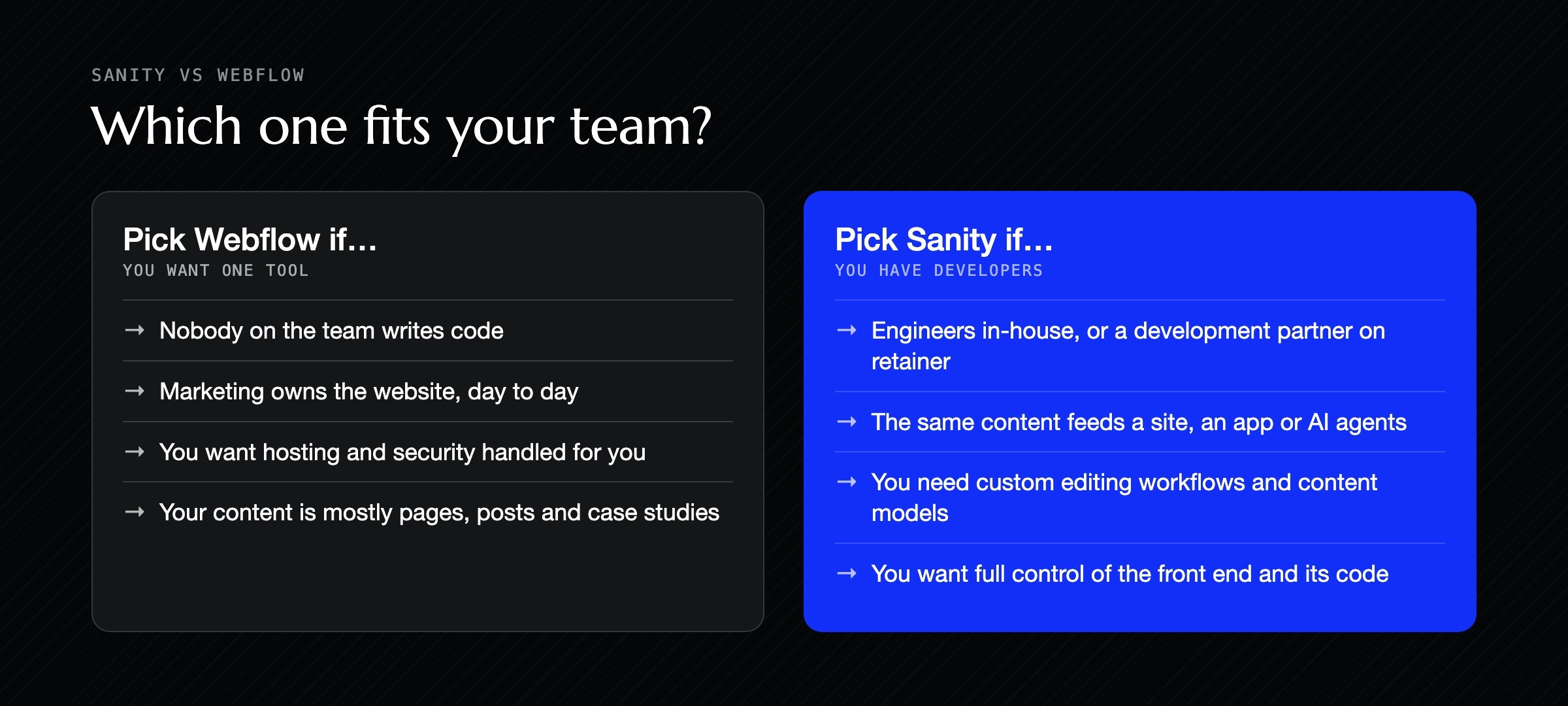
My recommendation depends on your team. If nobody on your team writes code, choose Webflow and don't look back: you'll get a great website with far fewer things to worry about. If you have developers, or a partner who will build and look after your front end, and your content is getting complex, Sanity is the better long-term home. The wrong choice is the tool that only fits a team you don't have.
Key takeaways
TL;DR? Here are the main points:
- Webflow is an all-in-one website platform: design, CMS, hosting and security in one visual tool.
- Sanity is a structured content platform: it stores and serves your content, and your developers build everything around it.
- Webflow is easier to use and maintain; Sanity is more flexible and scales to more complex content.
- Webflow's costs come in add-ons; Sanity's come in development time and the services around it.
- Choose for the team you have today: no developers, Webflow; developers and complex content, Sanity.
FAQ
Is Sanity better than Webflow?
Neither is better in general. Webflow is better for teams without developers who want design, content, hosting and security in one tool. Sanity is better for teams with developers who need structured content, custom editing workflows and full control of the front end.
Do I need a developer to use Sanity?
To set it up, yes. Sanity's content model is written in code, and the website itself is a separate project that developers build and host. Once it is built, editors can write and publish in Sanity Studio without touching code.
Is Webflow secure enough for a company website?
For most company websites, yes. Hosting, SSL certificates, DDoS and bot protection and automatic backups are included and run by Webflow, which holds SOC 2 Type II and ISO 27001 certifications. Uptime guarantees and EU hosting are reserved for its higher plans.
Can I move from Webflow to Sanity later?
Yes. Webflow lets you export CMS content as CSV or through its API, but not with the site code, so the website has to be rebuilt. Plan for developer time, keep your URLs and set up redirects for any that change.
Sources
- Webflow: Plans and pricing (accessed Nov 20, 2026)
- Webflow blog: We're updating our pricing and simplifying our plans (May 13, 2026)
- Webflow: Hosting (accessed Nov 20, 2026)
- Webflow: Security (accessed Nov 20, 2026)
- Webflow blog: Moving away from Webflow's legacy Editor (Feb 2, 2026)
- Webflow Developers: Rate limits (accessed Nov 20, 2026)
- Webflow blog: July 28 Webflow incident report (2025)
- Webflow Help Center: User Accounts sunset (2026)
- Webflow blog: The biggest announcements from Webflow Conf 2026 (Sep 2, 2026)
- Webflow: About (accessed Nov 20, 2026)
- W3Techs: Usage statistics and market share of Webflow (Nov 2026)
- Sanity: Pricing (accessed Nov 20, 2026)
- Sanity: Security (accessed Nov 20, 2026)
- Sanity: Service level agreement (Mar 15, 2024)
- Sanity docs: Migrating from v5 to v6 (2026)
- Sanity blog: What's new, February 2026
- Sanity: Customers (accessed Nov 20, 2026)
- Webflow Developers: MCP server overview (accessed Nov 20, 2026)